A Cornell note-taking page comes down to two lines on a sheet of paper: a narrow column down the left, a band across the bottom. The part that makes it work happens after the lecture or meeting, when you cover the notes with a blank sheet and try to answer, from memory, the questions you wrote in the margin.
Walter Pauk, an education professor at Cornell University, described the layout in How to Study in College, first published by Houghton Mifflin in 1962 and revised into the 2010s (Open Library record). Cornell's Learning Strategies Center still points to chapter 10 of the tenth edition (2010). Pauk wrote it for students, and it carries over to meetings, interviews and training sessions with almost no changes.
The Cornell method, step by step
The page has three zones. The wide right-hand column holds the notes you take while listening. The left-hand column stays empty at first; later you fill it with keywords and questions. The bottom band takes a summary of two or three sentences.
Pauk pairs the page with a five-step routine:
- Record. While listening, write in the right column in short, abbreviated sentences, in your own words. Skip a line between ideas so you can fill in later.
- Reduce. The same day, write a keyword or a question opposite each block in the left column, one the block answers: "Budget?", "Who signs off?".
- Recite. Cover the right column. Read each question, answer it out loud, then check.
- Reflect. Write down what the notes change for you: a decision to make, a link to another project, a point you disagree with.
- Review. Write the bottom summary, then come back to the page for a few minutes now and then, starting with the left column.
Most people stop after the first step and keep only the layout. The studies further down suggest that the third step does most of the work.
A Cornell notes example
Here is the page from a made-up kickoff meeting: a website redesign for a consulting firm. The right column was filled in during the meeting, the left column and summary in the fifteen minutes after. The figures are invented for the example.
| Cues and questions | Notes |
|---|---|
| Why redesign? | Current site from 2019, unreadable on mobile. 70% of visits on phones (client's figure, check analytics). |
| Budget? | $12k budget. ≠ maintenance, separate budget. |
| Deadline? | Live b4 the March trade show → mockups signed off end Dec at the latest. |
| Who signs off? | Claire (partner) approves mockups. Paul supplies copy + photos. |
| Open points | ? Keep the blog or not. ? French version, to be quoted separately. |
| Summary: mobile-first redesign, $12k, live before March. Claire approves, Paul supplies content. Still to decide: the blog and the French version. | |
Two weeks later, someone asks who approves the mockups. You find the line by running down the left column, without rereading the page.
Making a Cornell sheet on paper or in Word
You don't need a special notebook or a downloaded template. On A4, draw a vertical line 6 cm from the left edge and a horizontal line 5 cm from the bottom; on US Letter, about 2.5 inches and 2 inches. These are working measurements, not a standard, so widen the column if your handwriting is large.
A printable template in Word takes about two minutes:
- Insert > Table: a table of 2 columns and 2 rows.
- Right-click in the first column > Table Properties > Column tab: set the width to 6 cm (2.5 in). With Word's default margins, the second column keeps about 10 cm on A4 or 4 in on Letter.
- Same dialog, Row tab: give the first row a height of 19 cm on A4 (7 in on Letter), which leaves roughly 5 cm (2 in) for the second row.
- Select the two bottom cells, then Layout > Merge Cells. The tab is called Table Layout in recent versions; see Microsoft's help page.
- File > Save As, type Word Template (.dotx), so you start from a blank page each time. Print a batch of ten in advance.
A two-column table does the same job in Google Docs or in any notes app that handles tables.
Does the Cornell method actually work?
The evidence is thinner than its reputation. The method is over sixty years old and taught everywhere, but controlled trials comparing it with other ways of taking notes are rare and usually small.
One of the most recent appeared in Frontiers in Psychology in 2025 (Yıldırım, 2025). In all, 134 trainee primary teachers were randomly assigned to one of four methods for five weeks: Cornell, two parallel columns, digital notes and plain sentences. Right after the course, no group did better than another. On the retention test, the Cornell group beat the plain-sentence group, and only that group; it was no different from the other two methods. The author's own conclusion is that the differences were limited.
The recite step, on the other hand, rests on a well-established effect. In an experiment by Roediger and Karpicke (Psychological Science, 2006), students who had reread a passage several times remembered it better five minutes later than students who had tested themselves from memory. A week later, the advantage had flipped to the self-testers. The Cornell cue column is a handy way to test yourself.
In our view, if you keep one thing from the method, keep that move: cover the notes and answer the questions in the margin. A neat three-zone page you never revisit won't teach you more than a list would.
Cornell or outline notes?
Outline notes file each idea under the one that contains it: headings, subheadings, indents (I, A, 1). They are fast when the speaker follows a plan, as in a lecture or a rehearsed presentation, and they type well.
Pick the outline when you need to keep up with a structured talk and won't look at the notes much afterwards. Pick Cornell when you'll have to study or find a precise detail weeks later. You can also do both: outline in the right column, then add the questions and summary afterwards. That is what we would suggest to a student.
Two situations suit neither. A meeting that compares quotes or suppliers is easier to note in a table prepared in advance, one column per option and one row per criterion; the empty cells show you what to ask. A brainstorm where ideas jump around fits a mind map better, with the topic in the middle and ideas branching out.
Note-taking abbreviations and symbols
These are common English shorthand forms that most readers will recognize without a key. Everyone ends up with a personal code; the point is to keep it stable.
| Abbreviation or symbol | Meaning |
|---|---|
| w/, w/o | with, without |
| b/c | because |
| b4 | before |
| e.g., i.e. | for example, that is |
| cf. | compare, see |
| vs. | versus, against |
| re: | about, regarding |
| approx. | approximately |
| info, govt, dept, mgmt | information, government, department, management |
| TBD, FYI, ASAP | to be decided, for your information, as soon as possible |
| →, ← | leads to; comes from |
| ∴ | therefore |
| ↑, ↓ | increase, decrease |
| =, ≠, ≈ | equals, differs from, about |
| >, < | more than, less than |
| * | important |
| ? | open question, to check |
| Δ | change |
A few of these trip people up. "e.g." and "i.e." are routinely swapped, and "∴" or "Δ" mean nothing to a reader without a math or science background. If others will read your notes, stick to the forms everyone shares.
Add your field's acronyms and your clients' initials, then stop. An abbreviation invented on the spot in a meeting is often unreadable the next day, even to the person who wrote it.
By hand or on a laptop?
The study everyone cites is Mueller and Oppenheimer's "The Pen Is Mightier Than the Keyboard", published in Psychological Science in 2014. Across three experiments, students who took notes on laptops transcribed more verbatim and did worse on conceptual questions than students writing by hand.
In 2021, a team led by Heather Urry repeated the first experiment exactly, in the same journal ("Don't Ditch the Laptop Just Yet"). It reproduced the first result: laptop users wrote more words, and more of them verbatim. It did not reproduce the second: across its 142 participants, longhand did no better on the quiz, and a mini meta-analysis of eight similar studies pointed the same way. As in the 2014 experiment, participants took the quiz without a chance to review their notes.
The laptop isn't ruled out, but verbatim transcription is still a trap. If you type, make yourself rephrase; a pen, being slower, does that for you. The rest depends on use: a keyboard for notes you'll search or share, a pen when a screen between you and the other person would get in the way.
Taking meeting notes while you take part
If someone else can take the notes, hand the job over, ideally to someone who isn't chairing. If it falls to you, you won't be able to write everything and talk at the same time, so cut what you write down to the minimum.
Before the meeting, copy the agenda onto the page, one item per block, with space under each. During the meeting, note only three things, each marked with a letter in the margin: D for a decision, A for an action, ? for a question left open. An action needs three pieces of information: what, who, by when. "Send the quote" isn't enough; "Paul sends the quote on Friday" is.
When you're speaking, put the pen down. Write your own commitments right after, while someone else is talking or between agenda items. Saying it back out loud helps too: "I'm noting that Paul sends the quote on Friday, is that right?" buys you time to write and clears up misunderstandings on the spot.
Keep two minutes at the end to read the decisions and actions back. Then, the same day, fill in the abbreviations and missing names; a week later, "chk w/ C. re budget?" will mean nothing. Those notes then become the minutes. Our guide Meeting minutes: what to include, and a template shows how to turn the D, A and ? marks into a document people will read. If the meeting was transcribed, see also AI meeting notes.
Which note-taking app?
For most needs, the one you already have will do. The choice depends on what happens to the notes afterwards.
Paper is still simplest for face-to-face meetings and for the Cornell method, whose recite step means covering part of the page. The notes app that came with your phone is enough for action lists and short notes you want to find again by searching. OneNote suits you if you write with a stylus on a tablet or your company already runs on Microsoft 365: its free-form pages take text, drawings and tables. Notion earns its place when notes need to become shared documents or databases organized by project, at a setup cost that personal notes rarely justify.
Switch tools only on the day you can no longer find a note. If you think faster than you write, dictation can replace the keyboard; see our guide to voice dictation.
When to record instead
Recording helps when the exact words matter (an interview you will transcribe, a client's verbal commitment), when you're chairing and can't take notes, or when looking at the person matters more than the page, as in a delicate client appointment.
Always tell participants before you start. In France, secretly recording words spoken in private is a criminal offence; the rules are set out in Recording a work meeting in France: what the law says. A recording sorts nothing on its own: it still has to be transcribed and the decisions pulled out, with the tools covered in How to transcribe audio to text.
That is the step Notus, the device we make, takes care of. It has a single button, so you keep your eyes on the person in front of you. About thirty seconds after you stop recording, the transcript, with the voices separated, and the summary reach your phone. With the Pro plan, the summary then goes to Notion, your CRM, Slack or email.
For a delicate client appointment, the audio is processed in Europe by open-source and European models, then deleted as soon as the note is ready (within 48 hours at most at our sub-processors). Notes are hosted in France and never used to train an AI. If you have one meeting a week and your notes are enough, you don't need it: a notebook and the Cornell method will do the job very well.
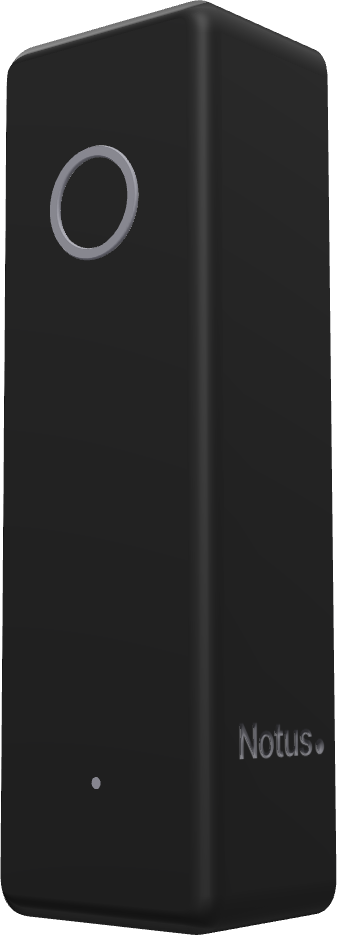
Notus is available for pre-order, shipping in the first half of 2027. See how it works
Frequently asked questions
How do I take notes faster?
Write less. Note decisions, figures, names and open questions, in your own words, and skip the examples you already know. Twenty or so abbreviations that never change, and a blank line between ideas, do the rest.
Should I rewrite my notes neatly?
Rarely. Rewriting takes time and is easy to do on autopilot. Filling in abbreviations, adding the cue questions and writing a three-line summary takes ten minutes and makes you recall the material.
Does the Cornell method work for a book or a video?
Yes, and it's easier than in a lecture because you can pause. Use one page per chapter or video, and fill in the left column at the end of each.
What is the best note-taking method?
The one you'll review. Cornell for material to study, an outline for a structured talk, a table for a comparison, and the D, A and ? marks in meetings. Once you've reread the page, spend five minutes testing yourself on the left column. If you are chairing and can't take notes, an AI voice recorder like Notus can take over.